
Enter an order in the Create Order tool and let the subscription renew itself

On a Customizable plan, a member pre-pays a balance and draws it down order by order, and their subscription is meant to top itself back up the moment an order costs more than they have left. That only happened on the orders their subscription generated. Anything your staff entered by hand went through as a retail sale — it spent the credit and charged the difference, but it never renewed the subscription, so somebody had to go renew that member by hand. Now the Create Order tool has a Subscription channel: pick the member, pick one of their subscription's pickup options, and the order is confirmed and billed on the spot, renewing the subscription as part of that billing when it needs to.
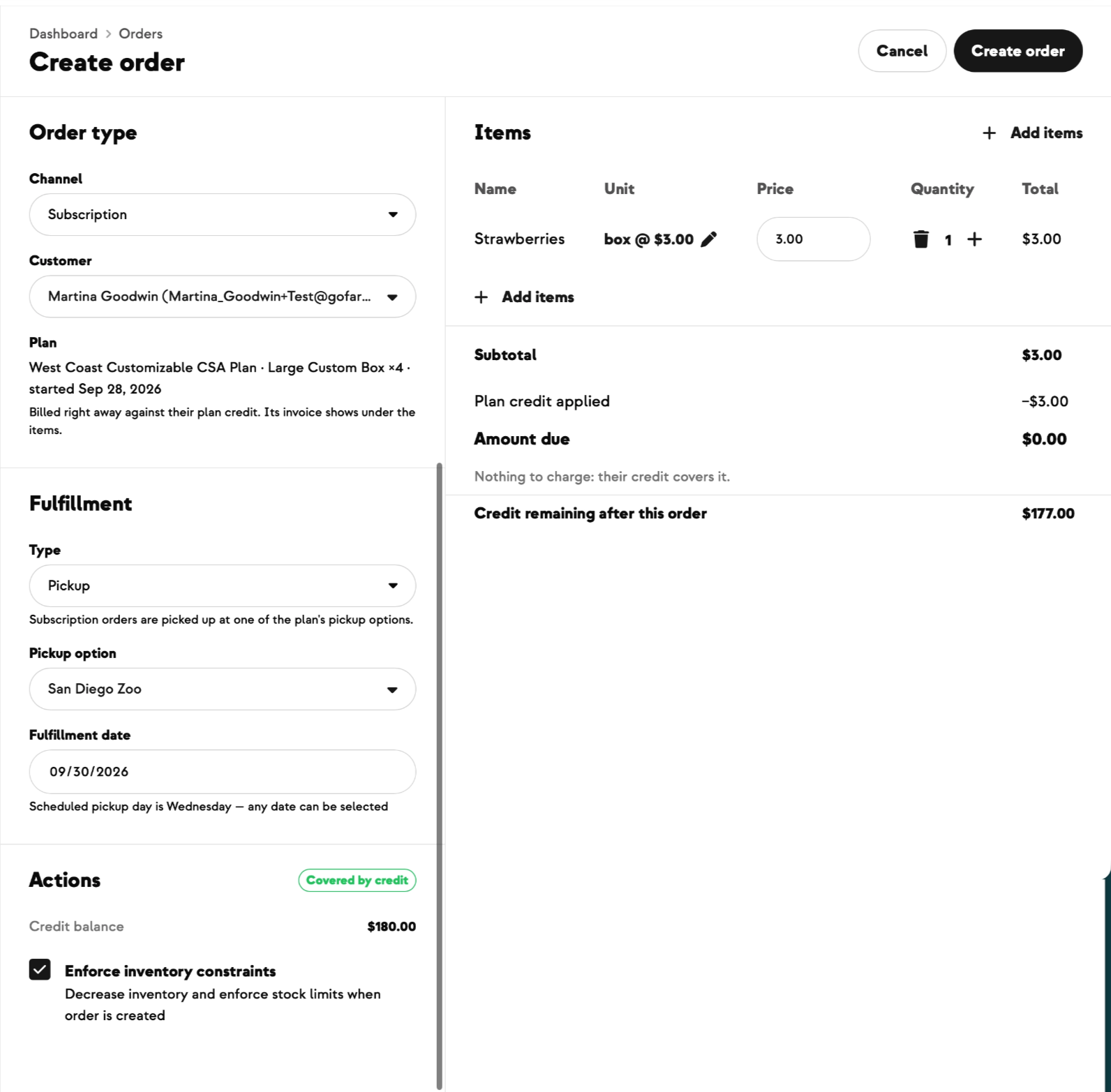
Before you submit, a live pill tells you what will happen — covered by their credit, renewing the subscription, charged to their card, or blocked and why — and it updates as you change the order.
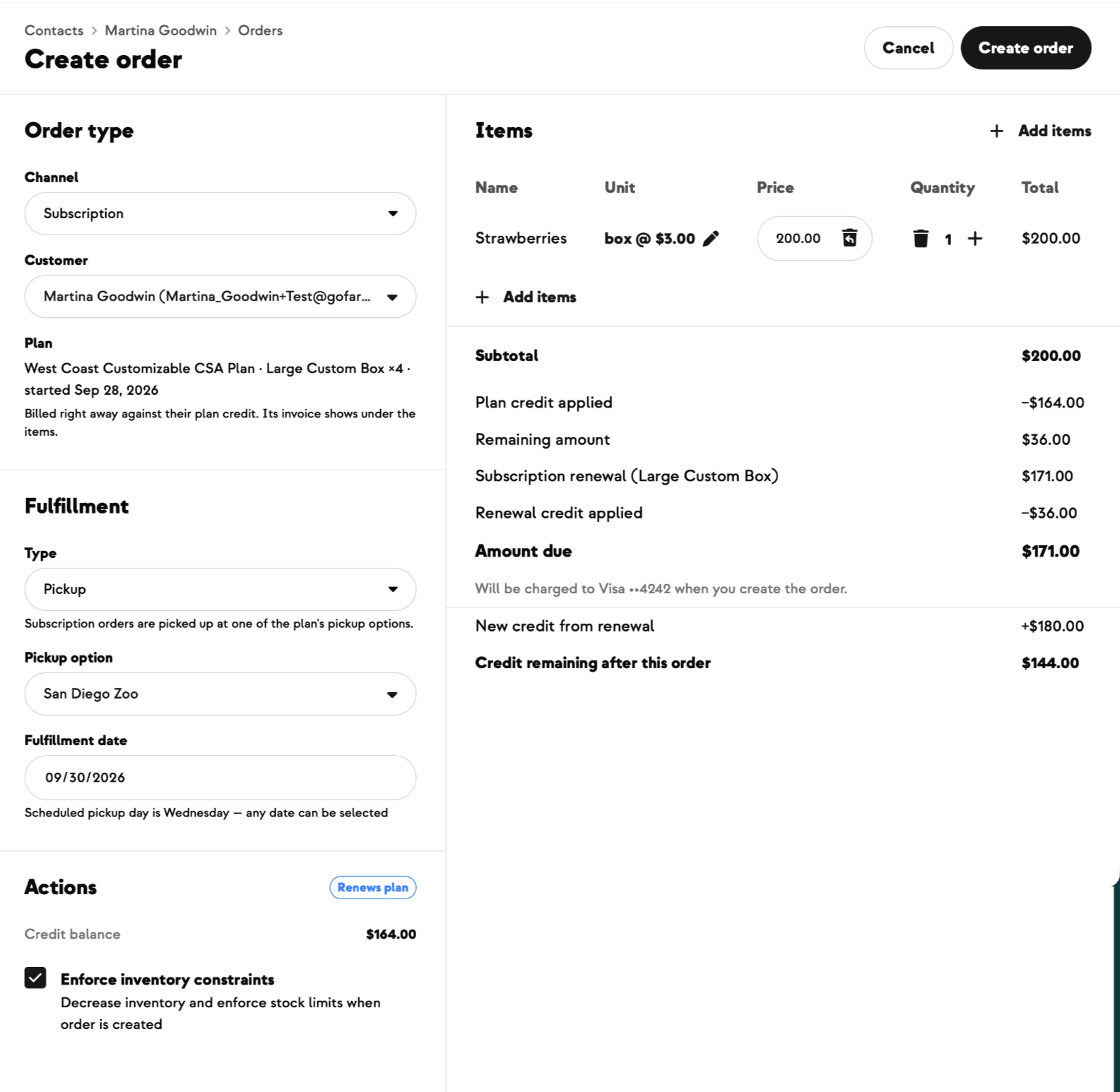
Under the items is the whole breakdown — credit applied, what's left over, the renewal and the credit it adds, the amount due and which card it goes to, and the credit they'll have afterwards — so no number on that screen needs explaining. An order that runs over their credit when they have no payment method on file, or an earlier renewal payment that failed and is still unpaid, is stopped before it's created, with a link straight to fixing it. Orders inside their existing credit always go through.
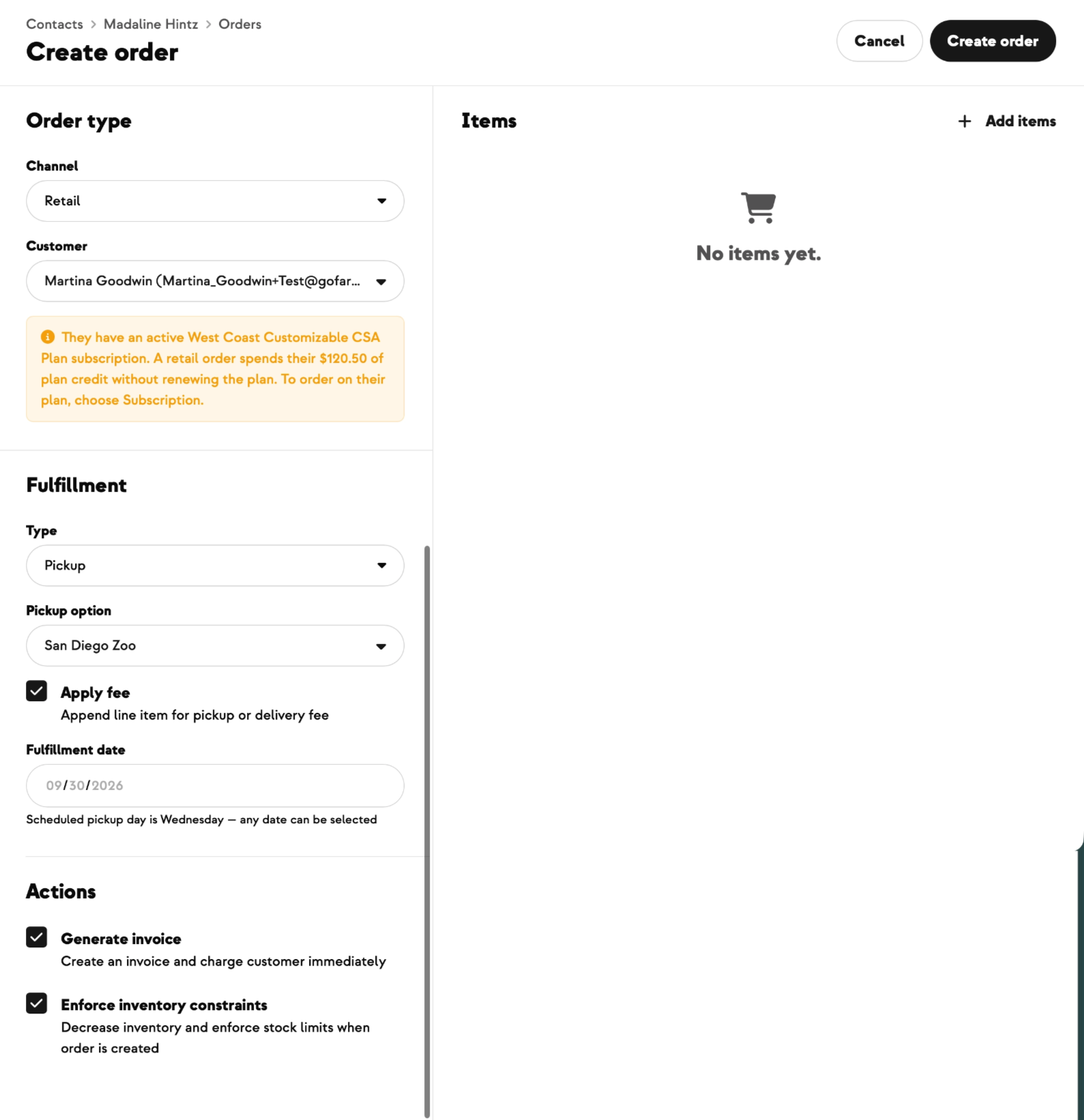
Retail still works for someone on a Customizable plan — it just warns you first that it spends their plan credit without renewing, and names the amount. And their regular weekly delivery, your fulfillment report and the subscription's renewal schedule all carry on untouched, even when the order you entered lands on the same pickup day.
Built With Farmers. Not For.
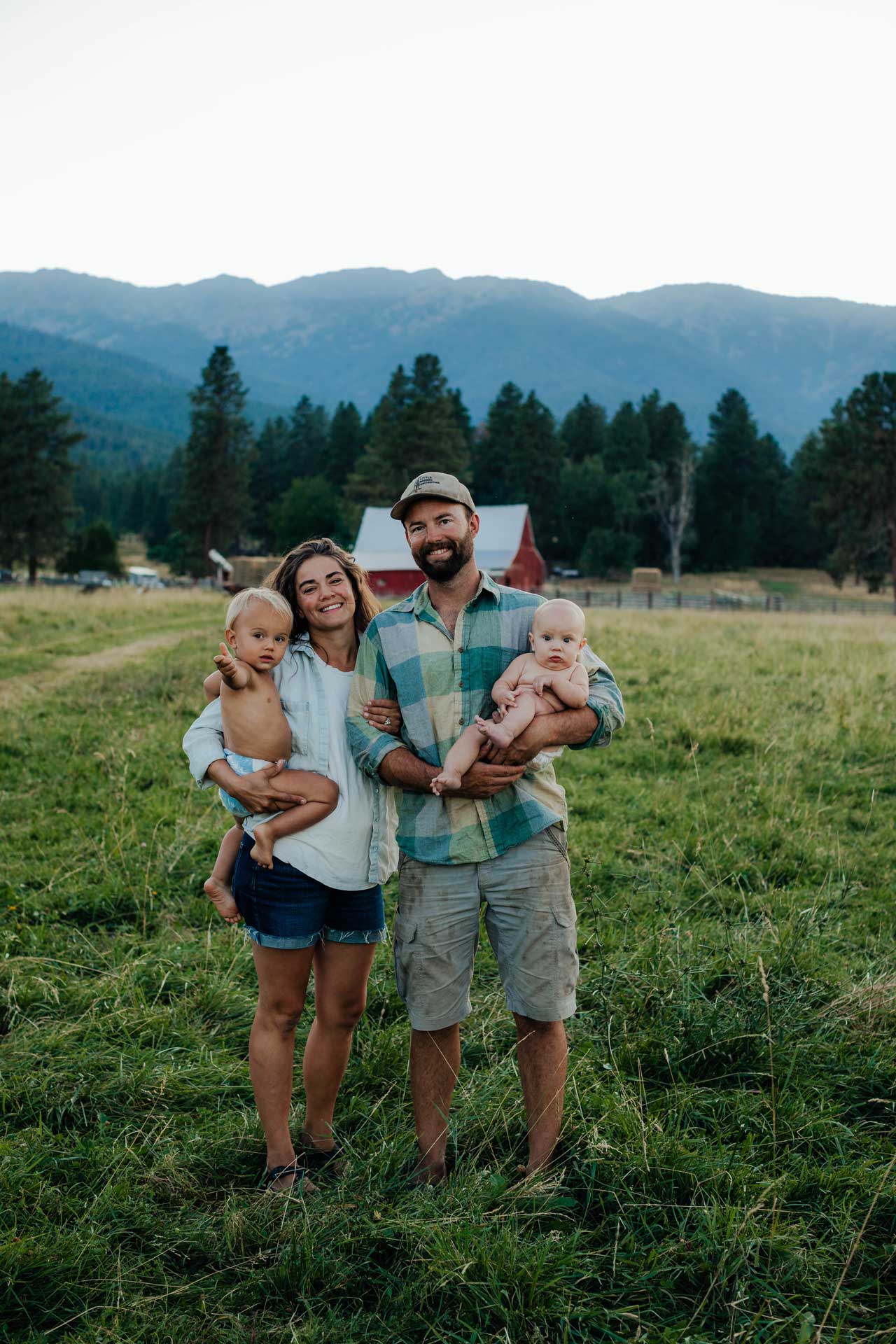
Eva Henes
Built with Eva at Old Souls Farm, who enters every one of her members' orders herself and didn't want to hand-renew a subscription every time somebody's credit ran out.
New on Farmhand

Your farm is growing.
Your platform should keep up.
Our roadmap is built from farmer conversations, not corporate planning cycles. You ask. We build. You see it live.