
Edit paid retail orders yourself
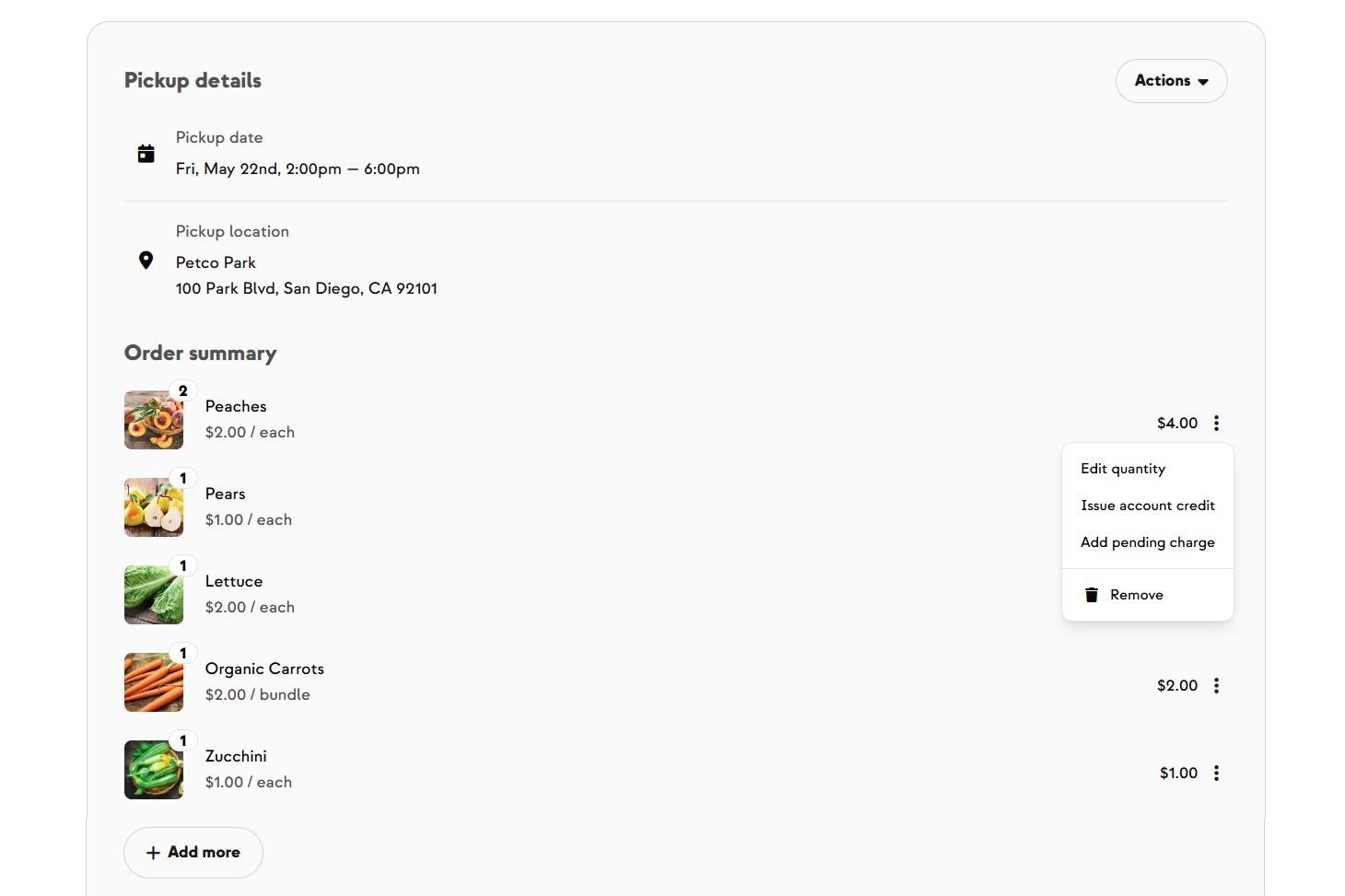
A customer emails after paying — they want one more dozen eggs, or they ordered two heads of broccoli instead of one. Until now, every tweak to a paid retail order meant asking an admin and waiting. Now you can handle it yourself from the Order Details page: change a line item's quantity, remove an item with an optional account credit, add more items from your shop, issue a standalone credit or debit, refund a pickup or delivery fee, or cancel and credit the whole order in one action. Customers get the standard notification when a change affects their invoice, inventory updates stay optional on each edit, and everything is recorded in the order's audit log.
Built With Farmers. Not For.

Amy Kram
New on Farmhand



Your farm is growing.
Your platform should keep up.
Our roadmap is built from farmer conversations, not corporate planning cycles. You ask. We build. You see it live.