
Place an order on any date in Create Order
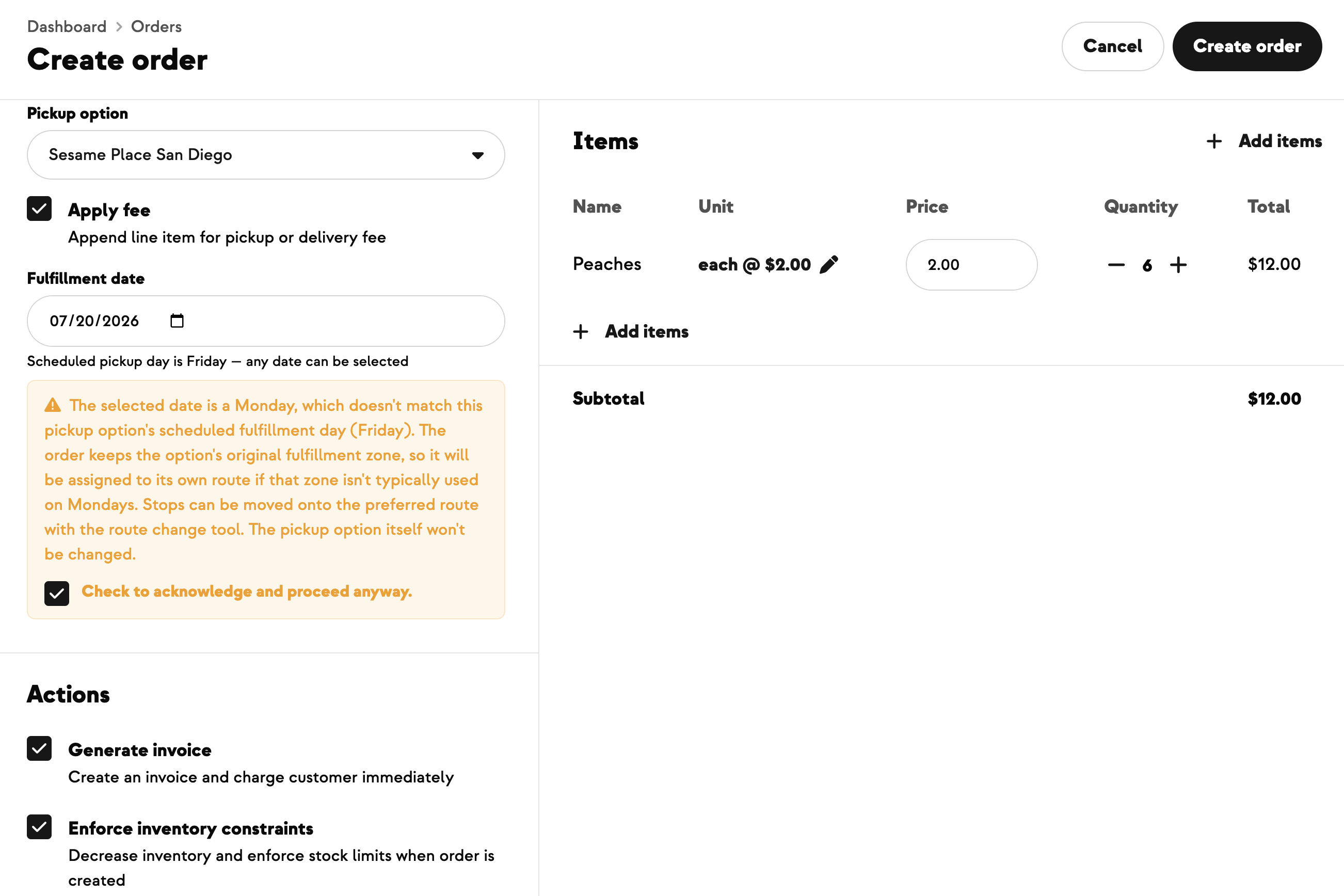
Ad-hoc orders don't always land on a fulfillment option's usual day — and until now, Create Order only let you pick dates that matched the option's scheduled weekday. Getting an off-day order in meant asking support to temporarily change the option's day, place the order, then switch it back — slow and easy to get wrong. Now you can pick any date on the calendar for a retail or wholesale ad-hoc order. If the date falls outside the option's normal schedule, a quick warning explains that the order keeps the option's pickup or delivery zone and lands on its own route for that day (you can move it to another route later), and you check a box to confirm. When the date matches the normal day, nothing changes. The fulfillment option itself is never touched, and none of this shows in customer-facing checkout or CSA signup.
Built With Farmers. Not For.
Madyson Versteeg
New on Farmhand



Your farm is growing.
Your platform should keep up.
Our roadmap is built from farmer conversations, not corporate planning cycles. You ask. We build. You see it live.